Best HP Alternatives to Consider: Top Laptop Brands for Every Budget
Looking for HP alternatives? Compare Lenovo, Dell, ASUS, Acer, and Apple laptops to find the right option for your budget, work, gaming, or study needs.Looking for HP alternatives? Compare Lenovo, Dell, ASUS, Acer, and Apple laptops to find the right option for your budget, work, gaming, or study needs.
By Joseph White
Published Oct 21, 2026
Shopping for a new laptop can quickly turn into a comparison marathon. You might start by looking at HP models, only to discover that other brands offer similar specifications, different designs, or better features for your particular needs. Whether you need a laptop for college, office work, gaming, or creative projects, exploring alternatives can help you make a more informed decision.
HP has a wide range of laptops, but it is far from the only brand worth considering. Companies such as Lenovo, Dell, ASUS, Acer, and Apple offer alternatives across different price ranges and use cases.
The trick is not to find a brand that is universally better than HP. It is to identify which alternative offers the right combination of performance, portability, reliability, and value for your budget.
In this guide, we explore the best HP alternatives, what makes each brand worth considering, and which type of buyer may benefit most from each option.
1. Lenovo: A Strong Choice for Work and Productivity

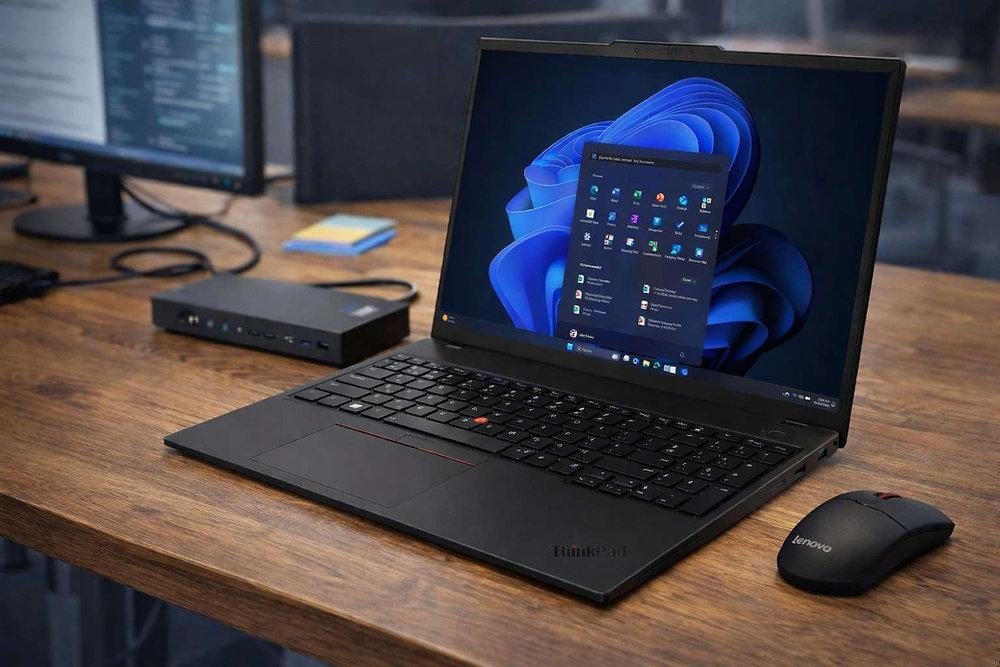
If you are considering an HP laptop for work, studying, or everyday productivity, Lenovo should be high on your comparison list.
Lenovo offers several laptop families, including ThinkPad for business users, IdeaPad for everyday computing, Yoga for premium and convertible designs, and Legion for gaming.
The ThinkPad range is particularly worth exploring if you spend long hours typing, manage multiple work applications, or want a laptop designed around productivity. IdeaPad models can be a practical alternative for students and home users who need everyday performance without paying for business-focused features.
Why consider Lenovo?
A wide selection of laptops for different budgets.
Productivity-focused business models.
Options with convertible designs and touchscreen displays.
Dedicated gaming laptops in the Legion family.
Best for: Students, office workers, business users, and people who prioritise comfortable typing.
What to check: Compare the display quality, battery life, weight, and specifications of the exact model. Lenovo's product ranges vary considerably, so the brand name alone does not guarantee a particular level of performance.
2. Dell: For Professionals and Everyday Reliability

Another strong alternative is Dell. Its laptop range covers everyday computing, professional workloads, premium designs, and gaming, making it a useful option if you want to compare several types of HP laptops.
Dell's premium XPS family is worth exploring if you want a refined design and a high-quality display. For office and business use, Dell's business-oriented laptop ranges are also worth comparing. If gaming is your priority, the Alienware lineup offers performance-focused alternatives.
Dell is particularly worth considering when you want to compare business features, configuration choices, and support options alongside hardware specifications.
Why consider Dell?
Laptops for home, office, and professional use.
Premium models with quality displays and portable designs.
Dedicated gaming options through Alienware.
Business-focused configurations for workplace requirements.
Best for: Professionals, remote workers, business users, and buyers looking for premium laptops.
What to check: Compare the price of similar configurations carefully. A premium Dell laptop may cost more than a mainstream alternative, and the extra expense is worthwhile only if the build, screen, performance, or other features matter to you.
3. ASUS: For Gaming, Creative Work, and Modern Designs

If you want more variety in laptop designs and gaming options, ASUS is one of the strongest HP alternatives to explore.
ASUS offers the Vivobook range for everyday computing, Zenbook for premium portable laptops, TUF Gaming for gaming-focused systems, and ROG for performance-oriented gaming hardware. Its ProArt family also targets certain creative workflows.
This variety makes ASUS appealing to buyers who have a specific requirement rather than simply wanting a general-purpose laptop.
For example, a student may prefer a Vivobook for assignments, while a graphic designer might prioritise a Zenbook or ProArt model with a suitable display. A gamer can compare TUF and ROG configurations based on their budget and performance expectations.
Why consider ASUS?
A broad range of laptop designs and configurations.
Gaming-focused options across different performance levels.
Premium portable laptops and selected creative-work models.
Options for users who value display technology and distinctive designs.
Best for: Gamers, students, creative professionals, and users who want more specialised choices.
What to check: Some configurations prioritise performance over battery life or portability. Compare cooling, weight, display quality, and warranty coverage before deciding.
4. Acer: For Budget-Conscious Buyers

If the main reason you are exploring HP alternatives is price, Acer deserves a place on your shortlist.
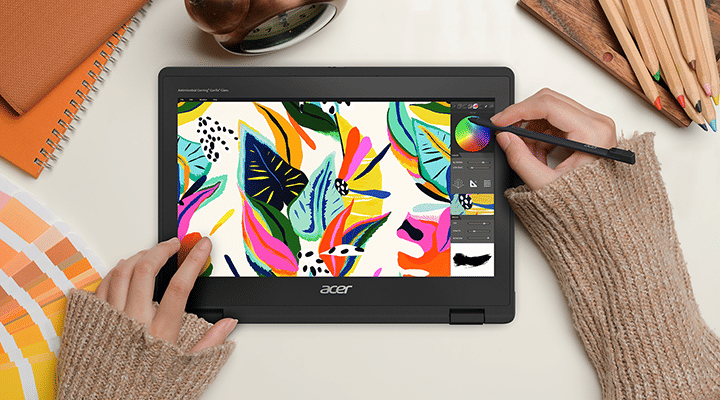
Acer's Aspire family is designed for everyday computing, while Swift models emphasise portability. Nitro and Predator laptops cater to gaming users with different performance requirements.
For students, first-time laptop buyers, and home users, Acer can offer useful configurations without requiring a move into premium-priced laptop categories. However, the value depends on the individual model and the offers available when you shop.
Instead of comparing brands in general, look for two laptops with similar processors, RAM, storage, and display specifications. Then compare their final prices and warranty conditions.
Why consider Acer?
Everyday laptops for study, browsing, and office work.
Portable options for commuters and students.
Dedicated gaming families.
A wide range of configurations across different price levels.
Best for: Budget-conscious students, home users, and buyers seeking practical performance.
What to check: Pay attention to screen quality, keyboard comfort, upgrade options, and service availability in your area. A low purchase price is less attractive if the configuration does not meet your needs.
5. Apple: For Users Who Prefer macOS

If you are willing to move beyond Windows, Apple offers a different approach to laptop computing.
The MacBook Air is designed for everyday productivity and portability, while the MacBook Pro is aimed at users who need more advanced performance for demanding work. Apple's laptops run macOS rather than Windows, so the operating system should be an important part of your decision.
MacBooks can be attractive to students, writers, developers, and creative professionals who value battery efficiency, a trackpad-focused experience, and integration with other Apple devices.
However, switching from HP to Apple is not just a hardware decision. Some Windows applications, games, business tools, and specialist programs may work differently or may not have native macOS versions.
Why consider Apple?
A consistent macOS experience.
Portable laptop options for work and study.
Strong integration with compatible Apple devices.
Models suited to both everyday tasks and demanding creative work.
Best for: Students, professionals, creators, and people already using Apple devices.
What to check: Confirm application compatibility, available memory and storage, external-display support, and the total cost of any accessories you need.
HP Alternatives at a Glance
Here is a quick comparison to help you narrow down your options.
| Brand | Main advantage | Best suited for |
|---|---|---|
| Lenovo | Productivity-focused choices | Students and office workers |
| Dell | Professional and premium options | Business users and professionals |
| ASUS | Variety of gaming and creative models | Gamers and creators |
| Acer | Practical budget-oriented options | Students and everyday users |
| Apple | macOS and Apple ecosystem | Creators and Apple users |
These are broad brand-level distinctions, not a ranking of every laptop each company sells. Individual models can differ significantly in performance, price, and features.
How to Choose the Best HP Alternative
Before making your final decision, consider these five factors.
1. Your budget: Set a spending limit and compare models within the same price range. Include accessories and warranty upgrades in your calculations.
2. Your everyday workload: Basic office tasks need different hardware from gaming, video editing, or 3D design.
3. Portability and battery life: If you carry your laptop to college or work, weight and battery performance should influence your decision.
4. Operating system: Decide whether you want Windows or are comfortable switching to macOS. Check software compatibility before changing platforms.
5. Warranty and service: Check authorised service options in your area, warranty coverage, and the seller's return policy.
For most buyers, comparing two or three specific models is more useful than trying to decide which entire brand is the best.
Final Verdict
HP has plenty of competition, and the best alternative depends on what you want from your next laptop.
Choose Lenovo if productivity, typing comfort, and business-oriented options are your priorities.
Consider Dell for premium designs and professional computing.
Explore ASUS if gaming, creative work, or distinctive laptop designs interest you.
Look at Acer if you want a practical laptop while keeping your budget under control.
Choose Apple if macOS fits your workflow and you value integration with other Apple devices.
Before purchasing, compare the specifications of individual models, check current prices, and read independent reviews. A well-chosen laptop from any of these brands can be a better fit than an HP model that does not meet your needs.
FAQs
Which brand is the best alternative to HP laptops?
Lenovo, Dell, ASUS, Acer, and Apple are all worth considering. Lenovo suits productivity, ASUS offers a wide selection of gaming models, Acer is worth exploring for budget-friendly options, Dell offers premium and business laptops, and Apple provides a macOS alternative.
Is Lenovo better than HP?
Neither brand is universally better. Lenovo may appeal to buyers who prioritise productivity-focused designs, while HP offers a broad range of everyday, premium, business, and gaming laptops. Compare specific models to determine which provides better value.
Is ASUS a good alternative to HP for gaming?
Yes. ASUS offers gaming laptops through its TUF Gaming and ROG families. Compare the graphics card, cooling, display refresh rate, and price with equivalent HP gaming models before choosing.
Which HP alternative is best for students?
Lenovo, Acer, and ASUS are useful starting points for students. Look for a comfortable keyboard, good battery life, sufficient RAM, and an SSD. The right choice depends on your course requirements and budget.
Is Acer cheaper than HP?
Acer has models aimed at budget-conscious buyers, but prices vary by configuration and retailer. Compare laptops with similar processors, memory, storage, and displays rather than assuming one brand is always cheaper.
Should I switch from an HP Windows laptop to a MacBook?
A MacBook may be a good choice if your applications support macOS and you value Apple's ecosystem. If you depend on Windows-only software or specific PC games, another Windows laptop from Lenovo, Dell, ASUS, or Acer may be a more convenient alternative.
Write a comment
Comments
No Comments Yet